Blog
Smart Home Technology in New Construction: What to Wire for in 2026
Published
Category
Tech & Tools
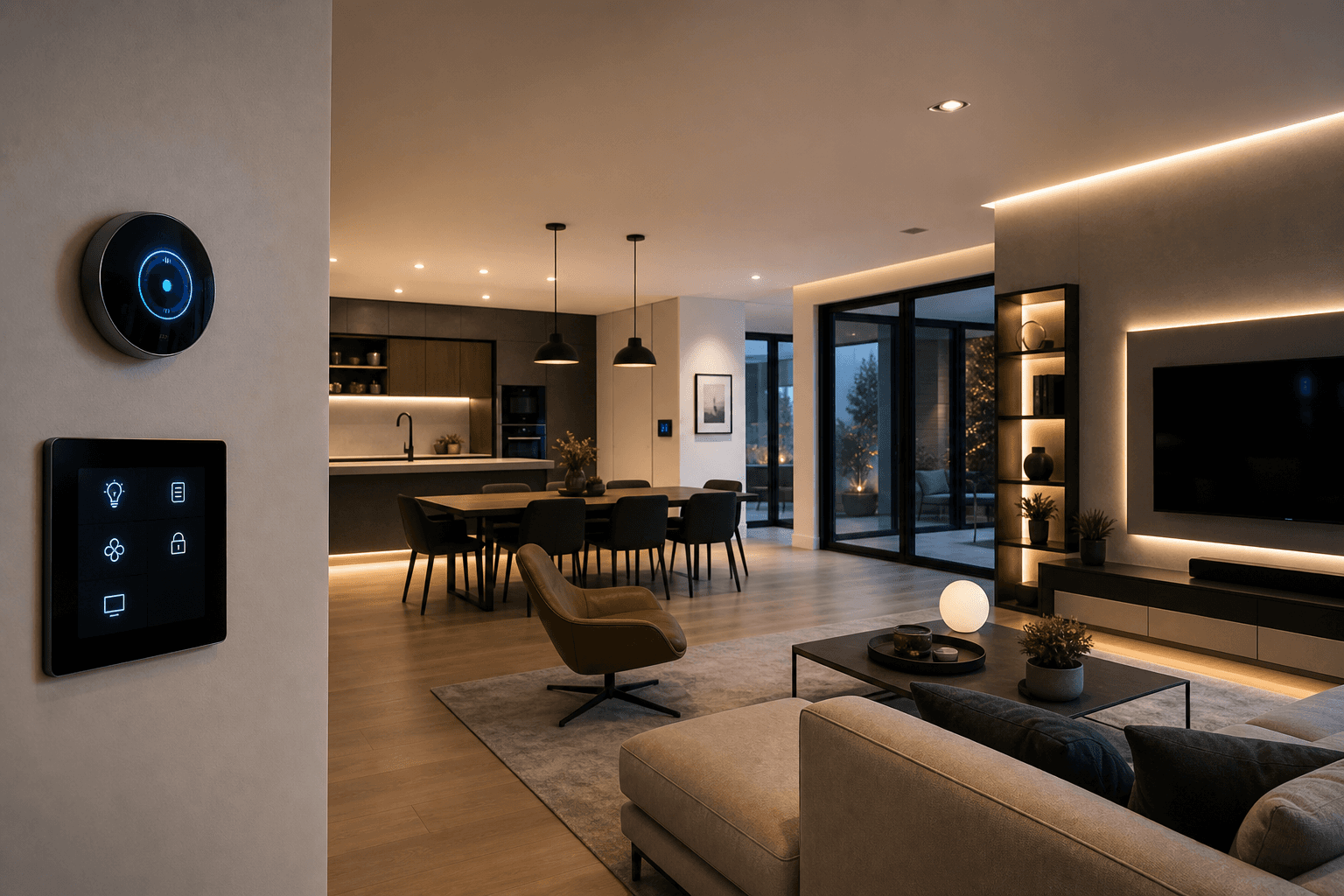
Building a new home? Discover which smart home technologies are worth wiring for in 2026 — from structured wiring and EV charging to automated lighting and whole-home audio.
The difference between a house that feels modern for five years and one that feels modern for twenty often comes down to what happens behind the walls during construction. Smart home technology is no longer a luxury add-on — it is an expected feature for today's custom home buyers, and the infrastructure that supports it needs to be planned before the first stud goes up.
At South Eastern General Contractors, we build smart home infrastructure into every custom home we design in Fayetteville and across North Carolina. This guide covers the technologies that matter most in 2026, what to wire for now even if you do not plan to use it immediately, and where to invest versus where to save.
Structured Wiring: The Foundation of Every Smart Home
Structured wiring is the backbone. It is a centralized panel — usually in a utility closet or the garage — where all networking, entertainment, and communication cables converge. From that panel, dedicated cable runs go to every room in the house.
What to Run
Cat6A Ethernet — Run Cat6A cable to every room, including the kitchen, garage, and outdoor entertainment areas. Wi-Fi is great for phones and tablets, but hardwired connections are faster, more reliable, and essential for security cameras, smart TVs, and home offices. Cat6A supports 10-gigabit speeds, which future-proofs your home for at least the next decade.
RG6 Coaxial — While streaming has replaced cable TV for many households, coax runs to the living room and primary bedroom provide flexibility for cable, satellite, or antenna connections.
HDMI conduit — Rather than running HDMI cable (which evolves rapidly in specification), install empty conduit between the TV location and the AV equipment location. This lets you pull new cables as standards change without opening walls.
Speaker wire — For whole-home audio, run 16-gauge or 14-gauge speaker wire from the central panel to in-ceiling or in-wall speaker locations. Even if you start with portable speakers, the wire is in place for a future upgrade.
Cost
A comprehensive structured wiring package for a 2,500-square-foot custom home runs $2,500 to $5,000 — a fraction of the cost of retrofitting after construction.
Wi-Fi Infrastructure
Reliable whole-home Wi-Fi is non-negotiable. The key is planning access point locations during construction so they can be hardwired and ceiling-mounted rather than relying on consumer mesh systems plugged into outlets.
Access point locations — Plan one ceiling-mounted access point for every 1,000 to 1,500 square feet of living space, plus one for the garage and one for the outdoor patio area.
Ethernet backhaul — Every access point should have a dedicated Cat6A home run to the central panel. Wireless mesh backhaul is a compromise — hardwired is always better.
POE (Power Over Ethernet) — Modern enterprise-grade access points (Ubiquiti, Ruckus, Aruba) are powered through the Ethernet cable itself, eliminating the need for electrical outlets at each access point location.
EV Charging Infrastructure
Electric vehicle adoption is accelerating rapidly, and even if you drive a gas vehicle today, your next car — or your home's next owner's car — may be electric. Installing EV charging infrastructure during construction is dramatically cheaper than retrofitting.
What to Install
Minimum: 240V/50A circuit to the garage — Run a 6-gauge cable from the main electrical panel to a dedicated outlet or junction box in the garage. This supports a Level 2 charger capable of adding 25 to 30 miles of range per hour.
Ideal: Two 240V circuits — If you have a two-car garage, run circuits to both parking positions. Load-sharing smart chargers can split capacity between two vehicles on a single high-amperage circuit.
Panel capacity — Ensure your electrical panel has sufficient amperage to support EV charging plus your home's other loads. A 200-amp panel is the standard minimum; 400-amp service may be warranted for all-electric homes with EV charging.
Cost
During construction: $500 to $1,500 for the circuit run and outlet. After construction (retrofit): $2,000 to $4,000+ depending on panel location, wall access, and trenching requirements.
Automated Lighting
Smart lighting is perhaps the most used and most appreciated smart home feature. The key decision is whether to use smart bulbs, smart switches, or a whole-home lighting control system.
Smart switches (recommended) — Replacing standard switches with smart switches (Lutron Caseta, Lutron RadioRA, or similar) lets you control any bulb in the fixture via app, voice, or automation. The switch itself works normally for guests who do not use smart home features. Lutron Caseta requires a neutral wire in the switch box — make sure your electrician pulls neutrals to every switch location.
Whole-home lighting control — Systems like Lutron RadioRA 3 or Control4 provide centralized control of every light in the house, with scenes, schedules, and integration with other smart systems. Higher upfront cost but a premium experience.
Pre-wire for occupancy sensors — Running low-voltage wire to strategic locations (hallways, closets, pantries, garages) allows future installation of occupancy sensors that turn lights on and off automatically.
Security and Surveillance
Security cameras, door sensors, and smart locks should be planned during construction to ensure clean installation and proper cable routing.
Camera locations — Run Cat6A to each planned camera location: front door, back door, garage, driveway, and any side entry. POE cameras eliminate the need for separate power supplies.
Video doorbell — Pre-wire a low-voltage transformer and cable to the front door for a video doorbell (Ring, Nest, UniFi Protect).
Smart locks — Reinforce front and back door jambs for smart lock hardware. Most smart locks use standard door prep but benefit from a more robust strike plate.
Alarm system — If using a wired alarm system, run sensor wires to every door and window during framing. Wireless systems are an alternative but wired is more reliable.
Climate Control
Smart thermostats (Ecobee, Nest, Honeywell) are standard in new construction. For a more advanced approach:
Zoned HVAC — Multiple thermostats controlling zone dampers allow different temperatures in different parts of the house. Wire each zone during HVAC rough-in.
Remote temperature sensors — Place sensors in bedrooms and living areas so the system responds to actual occupant comfort rather than just the hallway temperature where the main thermostat sits.
Humidification control — In North Carolina's humid climate, a whole-home dehumidifier with smart controls maintains comfort and prevents mold growth.
Whole-Home Audio
In-ceiling and in-wall speakers connected to a multi-room audio system (Sonos, Denon HEOS, or dedicated systems like Sonance) provide music throughout the house without portable speakers cluttering surfaces.
Speaker locations — Kitchen, living room, master bedroom, master bathroom, patio, and pool area are the most popular. In-ceiling speakers are nearly invisible when installed with paintable grilles.
Wire runs — Speaker wire from each location back to the central panel or a local amp location. Also run Cat6A to each zone for networked audio distribution.
What NOT to Overinvest In
Not every smart home technology is worth the investment during construction:
Smart appliances — Refrigerators and ovens with built-in Wi-Fi add cost without meaningful daily value. Buy quality appliances and control them the old-fashioned way.
Motorized window treatments — Nice to have but expensive. Pre-wire for them (run power to the top of each window) but install manually operated blinds now and upgrade later if desired.
Proprietary systems — Avoid platforms that lock you into a single vendor with no interoperability. Choose devices that support Matter, Thread, or Zigbee for maximum flexibility.
Build Smart from the Start
The cost of smart home infrastructure during new construction is a fraction of retrofitting after the drywall goes up. Plan the wiring, conduit, and infrastructure now, and your home will be ready for whatever technology the next decade brings.
South Eastern General Contractors integrates smart home planning into every custom build in Fayetteville and across North Carolina. With over 21 years of experience, we know how to balance today's technology with tomorrow's flexibility.
Contact us at (910) 565-4719 or visit southeasterngc.com to start planning your smart custom home.

South Eastern General Contractors
South Eastern General Contractors is a Native American-owned, 8(a) and HUBZone certified construction firm with over 21 years of proven results across Fayetteville, Lumberton, and the surrounding North Carolina communities. We build legacies, not just structures.
Ready to Build With Clarity and Confidence?
Your project deserves more than a contractor who just shows up and starts building. We guide you through a professional design-build process built around clear plans, detailed selections, documented scopes, and construction checklists that help eliminate confusion, mistakes, and missed expectations.
Other Blogs